
1
1. Configure OpenAI Provider in LobeChat
Open Settings → Models → OpenAI. Enable custom endpoint.
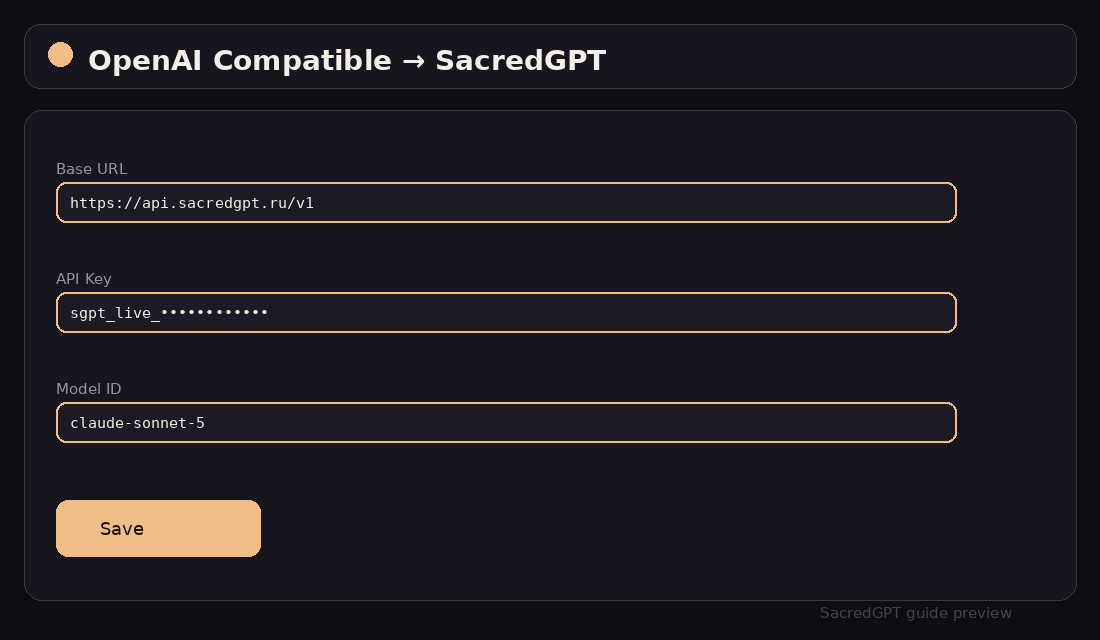
API Key: sgpt_live_...
Proxy URL: https://api.sacredgpt.ru/v1Modern web UI with plugin support, text-to-speech, and custom OpenAI provider bridges.
01 — Version & UI Path
02 — Step-by-Step Setup
Open Settings → Models → OpenAI. Enable custom endpoint.
API Key: sgpt_live_...
Proxy URL: https://api.sacredgpt.ru/v103 — Configuration Example
{
  "OPENAI_PROXY_URL": "https://api.sacredgpt.ru/v1",
  "OPENAI_API_KEY": "sgpt_live_9a8b7c6d5e4f3a2b1c0d",
  "CUSTOM_MODELS": "gpt-5.6-sol,claude-sonnet-5,qwen-3.8-max"
}
04 — Troubleshooting
Ensure the Proxy URL ends exactly with /v1 without a trailing trailing slash.